
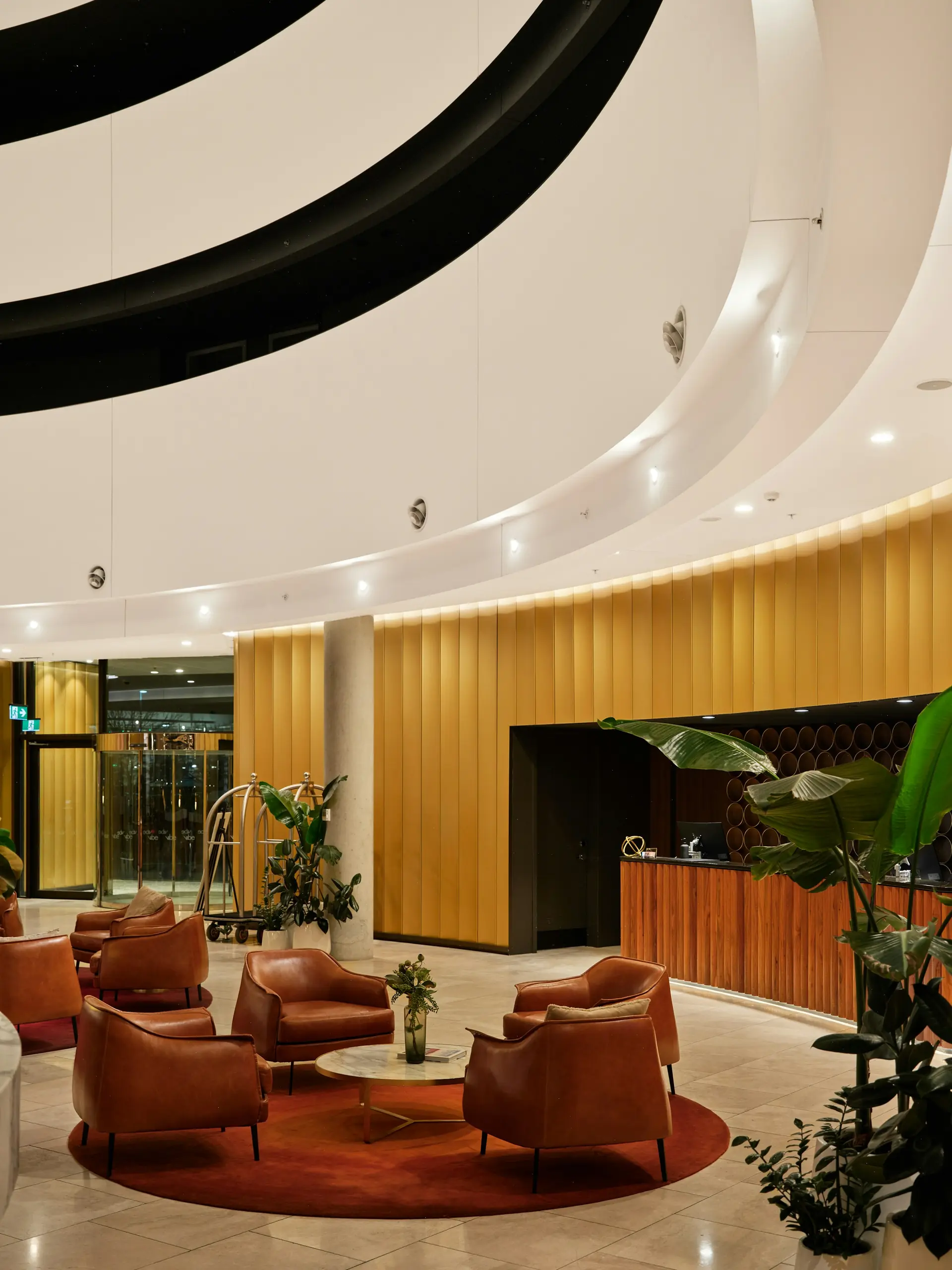
Project management for refurbishments and upgrades
The project workspace brings together a project's phases, risks, decisions, changes, costs, defects and contracts – with a project status based on fixed rules and a baseline as reference.
Workspace
One project, one address, every area.
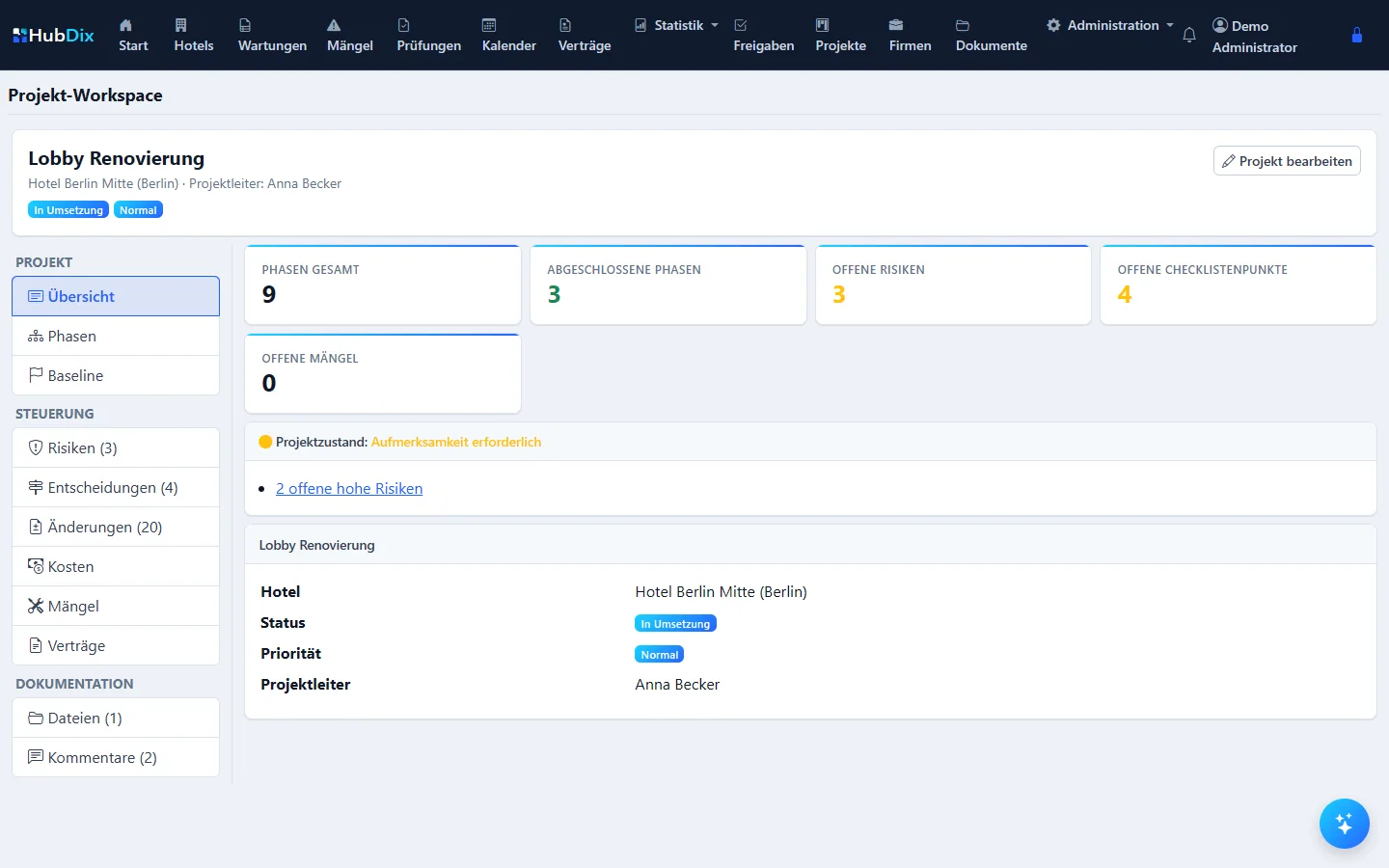
The workspace is a page of its own with a fixed header and navigation in three groups: project (overview, phases, baseline), control (risks, decisions, changes, costs, defects, contracts) and documentation (files, comments).
- Each area has its own address and can be bookmarked
- When colleagues change something, a dot marks the area as updated – your input is never overwritten
- Key figures: phases, completed phases, open risks, open checklist items, open defects
Phases
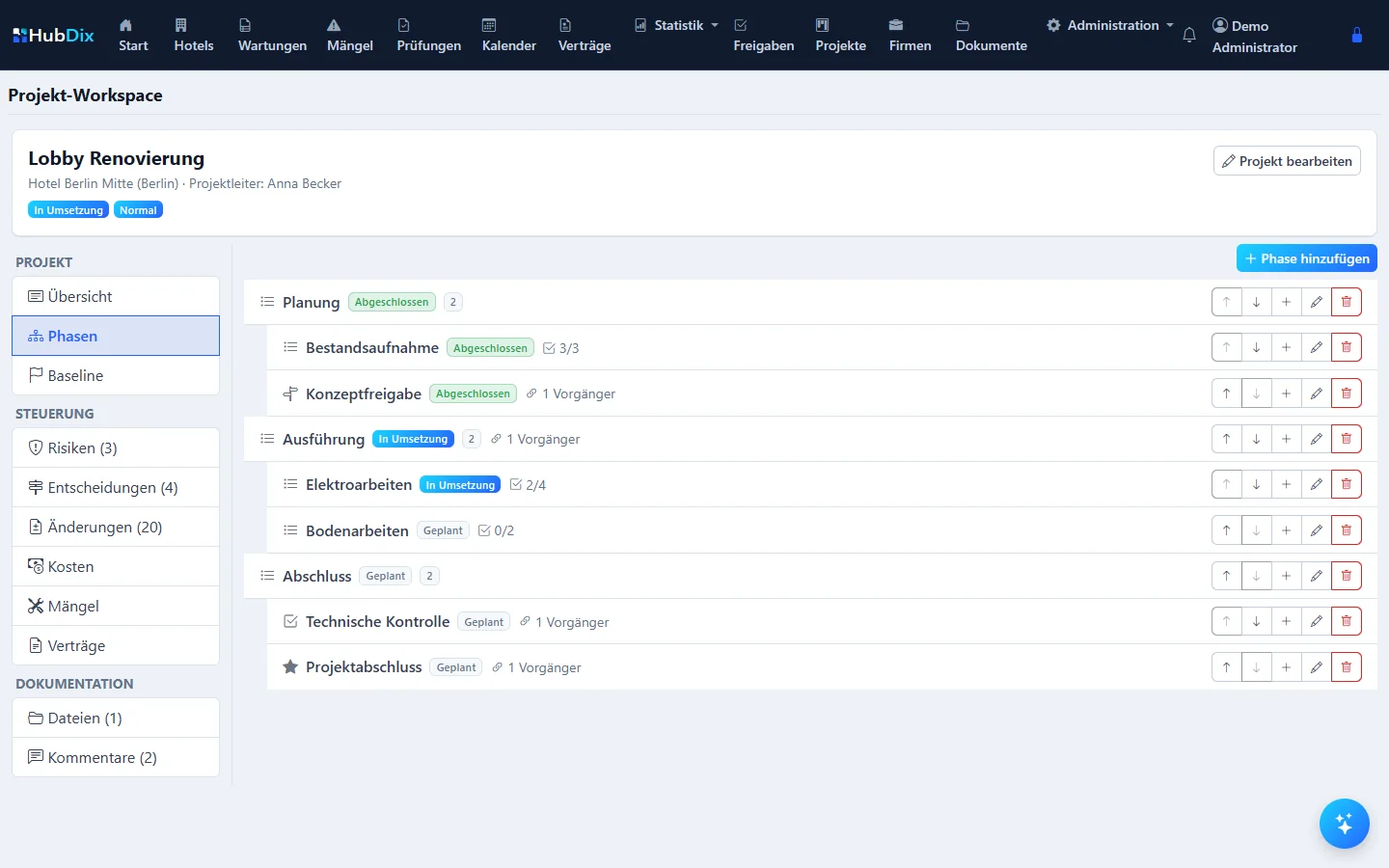
Phases with sub-phases, checklists and dependencies.
Each phase has a type, status, an owner from the team, an optional executing vendor and dates. A phase can only start or be completed when its predecessors are completed – and only be completed when no checklist items are open.
- Normal
- Checkpoint
- Milestone
- Decision point
Control
Keep risks, decisions and changes traceable.
Risks with a risk matrix
Likelihood × impact automatically gives the risk level. Open critical risks make the project critical.
| L. \ I. | Low | Medium | High |
|---|---|---|---|
| Low | Low | Low | Medium |
| Medium | Low | Medium | High |
| High | Medium | High | Critical |
Change requests with approval
Changes to scope, schedule or budget are requested, approved via the approvals module and only written to the project with "Apply change".
- Draftfreely editable
- Submitexactly one approval request; for a budget increase, the additional amount counts
- Approvednot yet applied
- Apply changenew values in the project, baseline unchanged
Baseline
A frozen reference with status, dates, budget, lead and phases. The comparison shows for each phase what has changed against the reference; older versions remain readable.
Cost overview
Budget per baseline, current plan, manually maintained actual costs and approved changes not yet applied – with budget development. Neutrally marked, no accounting claims.
Project status
Is the project under control – and if not, why?
As with a site's technical status, HubDix rates every project by fixed rules and names the reasons.
| Critical | overdue milestone, open critical risk, overdue linked defect or project end date passed |
|---|---|
| Attention | phase due within 30 days, open high risk, change request awaiting approval, actual costs over budget and more |
| Good | phases exist and none of the above applies |
Completed and cancelled projects are always "good" – they are never flagged at risk because of their own history.
Links
Defects and contracts read live, never copied
Defects at the same site can be linked to the project or recorded directly from it; contracts for the site can be assigned. Status, deadline and costs are always read live – never maintained twice.
Project actions on the start page
Your overdue or soon-due phases, open high and critical risks and change requests awaiting your decision – the card only appears when there is something to do.
Project templates
Stop re-planning recurring projects from scratch.
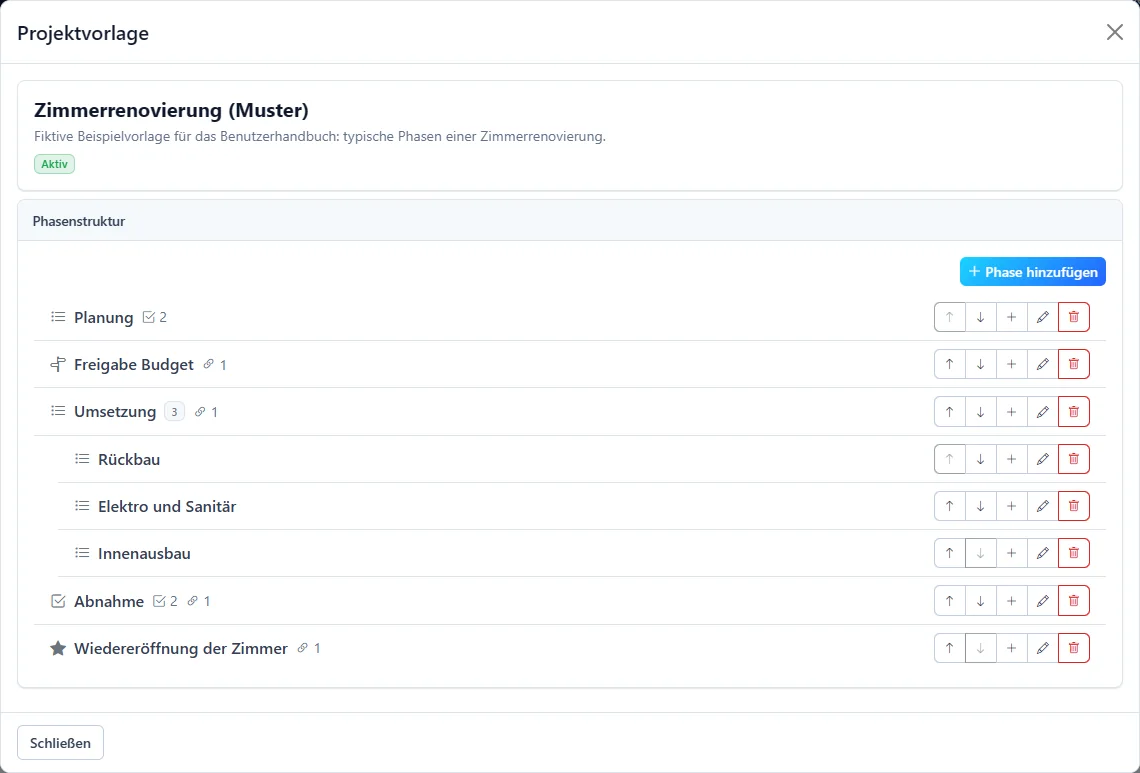
A template contains a ready-made phase structure with sub-phases, types, checklists and dependencies – for example for a room refurbishment. It is copied once when a project is created.
- A snapshot without a live link: later template changes do not affect existing projects
- Not copied: owners, dates, vendors, risks, costs
- If copying fails, no half-finished project is left behind
See HubDix for yourself.
The demo is a complete instance with fictitious sites and data. For questions about your operation, your installations and your processes, write to us.
The demo is set up for hotels – features and handling are the same in every industry.