
Technology under control. Buildings in view.
Technical building management software
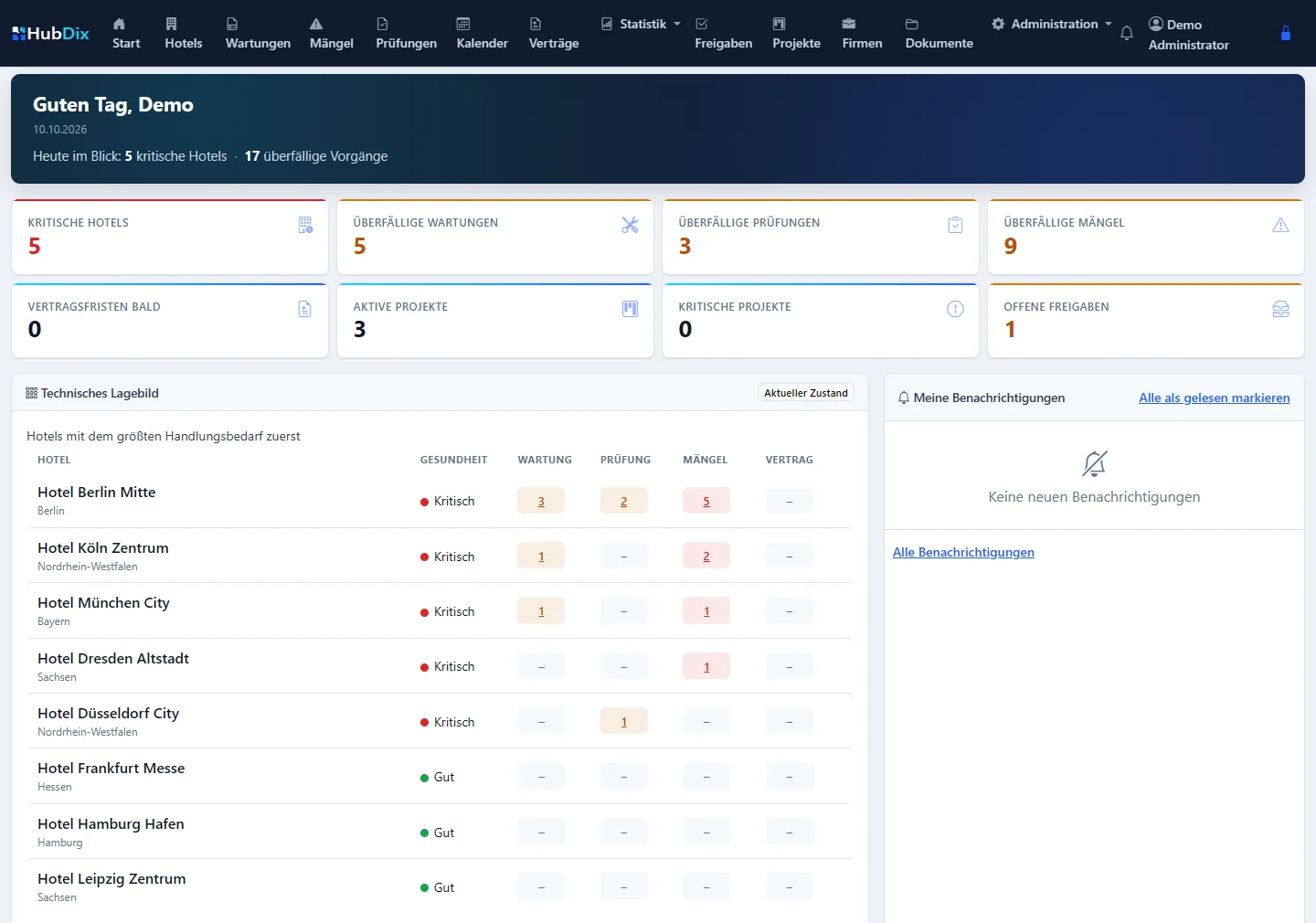
HubDix brings together maintenance, inspections, defects, contracts, projects and vendors across all your sites. You see at a glance what is due, where action is needed and where the evidence is – with an AI assistant that only uses what you are allowed to see.
ONE HUB. EVERY OPERATION.
What HubDix is for
Three questions that matter in technical operations every day.
Operator responsibility rarely fails for lack of knowledge – it fails because of scattered spreadsheets, inboxes and folders. HubDix answers the decisive questions for every site from one source.
What is due or overdue?
Maintenance, inspections, defects, notice periods and project phases – with the same due date in list, calendar, notification and start page.
Where is action needed?
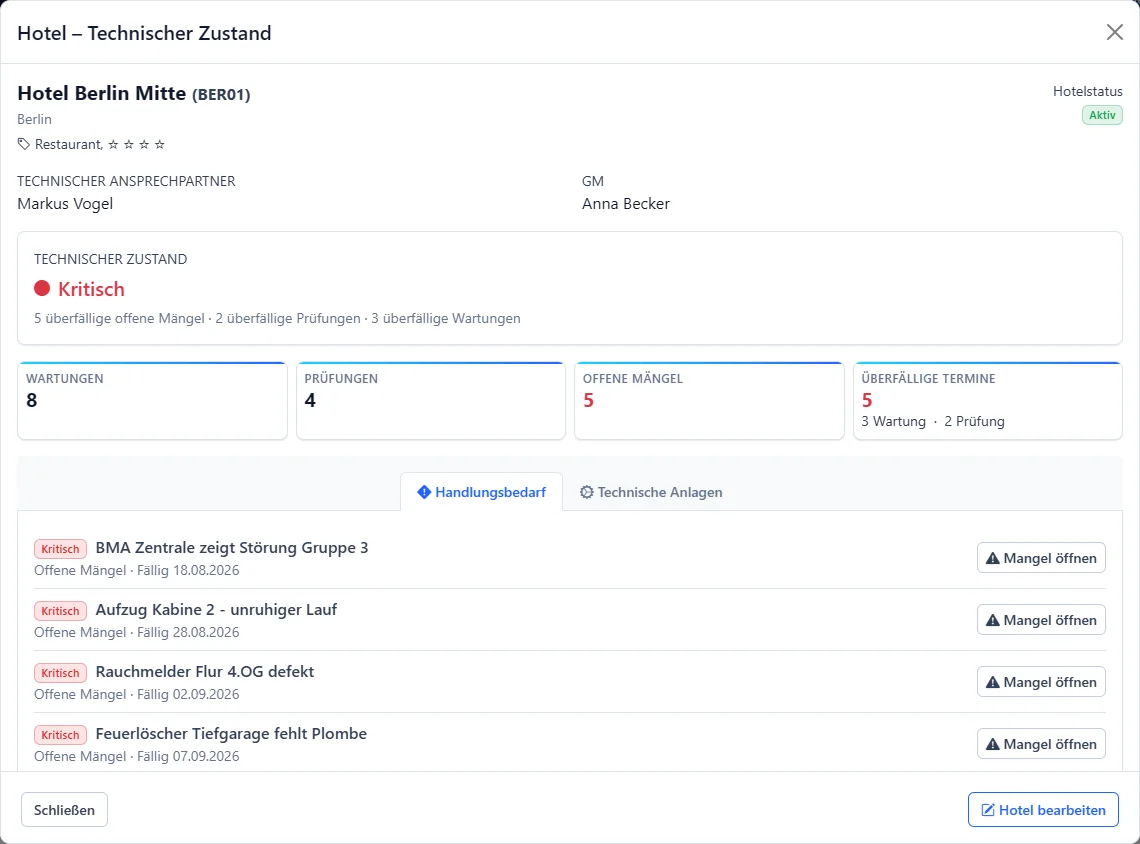
Every site gets a technical status based on fixed rules – critical, attention, good or no data – always with the specific reasons.
Where is the evidence?
Reports, contracts, plans and photos sit directly on the record and are searchable centrally – including the recognised text of PDF documents.
One platform, five areas of work
Everything technical operations involve – connected, not scattered.
All modules share the same sites, assets, people and vendors. A defect from an inspection knows where it came from, a contract knows its maintenance records, an approval knows its amount.
Overview & status
Operations cockpit, sites with technical status, technical assets with history, calendar and statistics.
The platformMaintenance & inspections
Intervals, history with reports, automatic calculation of the next due date, re-inspections and external execution.
Organise complianceDefects & approvals
A central defect register with origin, deadline and costs – approvals by approval limit and responsibility, never self-approved.
Defect managementContracts with AI import
Terms, notice periods, renewals and contract values – existing PDFs are read and captured as suggestions for review.
Contract managementProjects
A workspace for refurbishments and upgrades: phases, checklists, risks, decisions, baseline, change requests, costs.
Project managementVendors & external work orders
A vendor register with objective execution facts, work orders via secure link without a user account, and automatic maintenance assignment.
Vendor managementOne workflow, many modules
From maintenance due to a site back in the green.
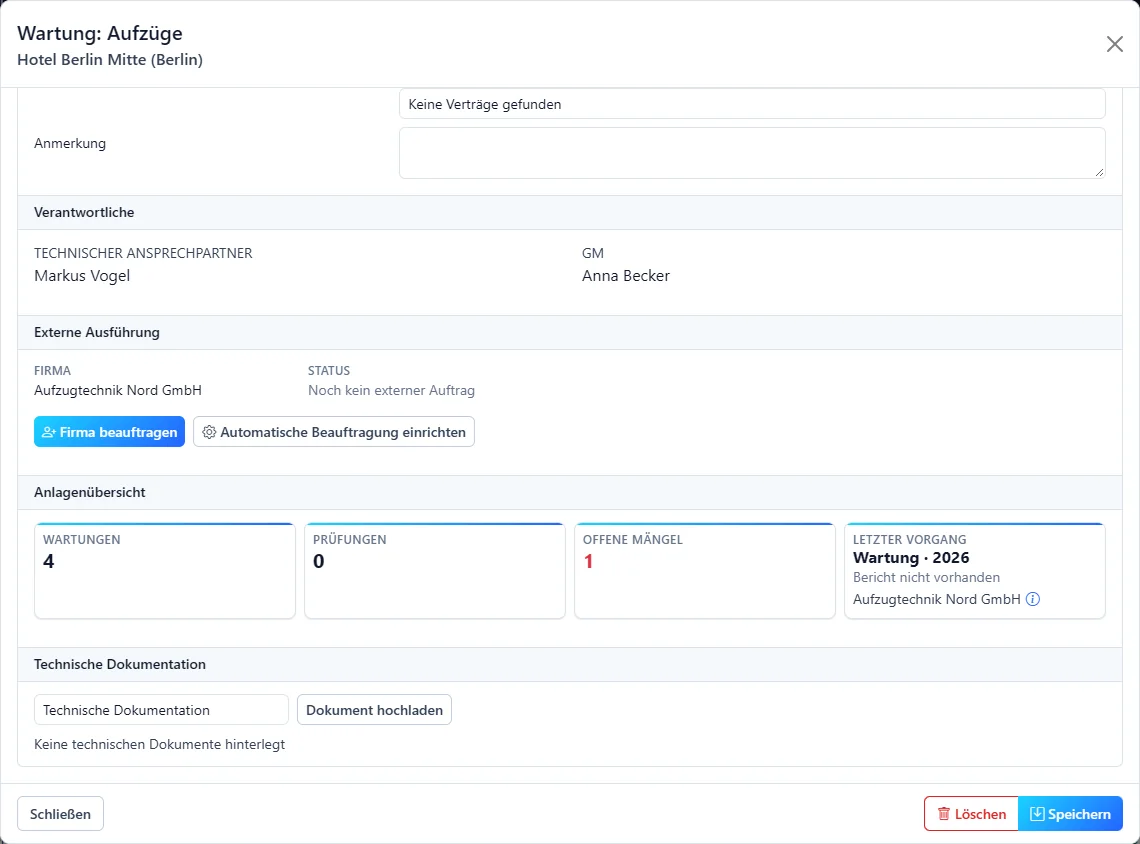
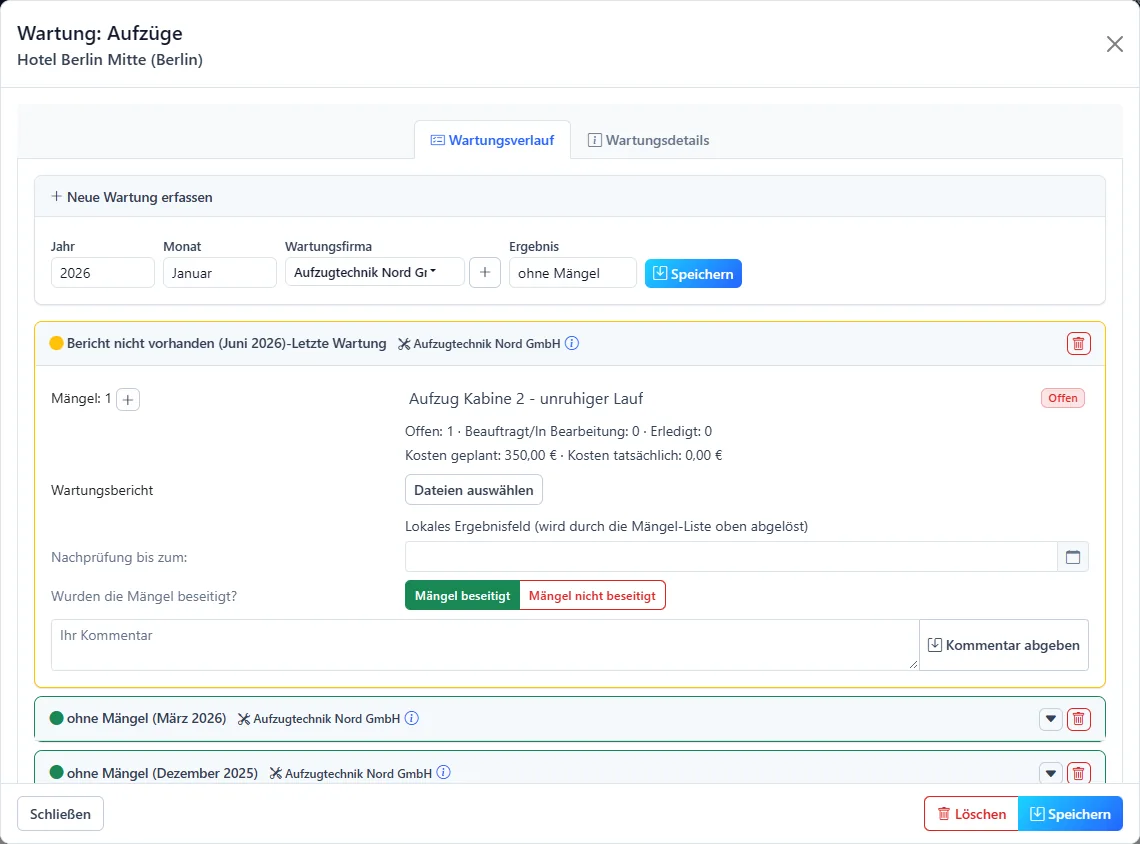
This is how the modules work together when maintenance is assigned to a contractor and a defect turns up along the way. Every step is a real HubDix screen.
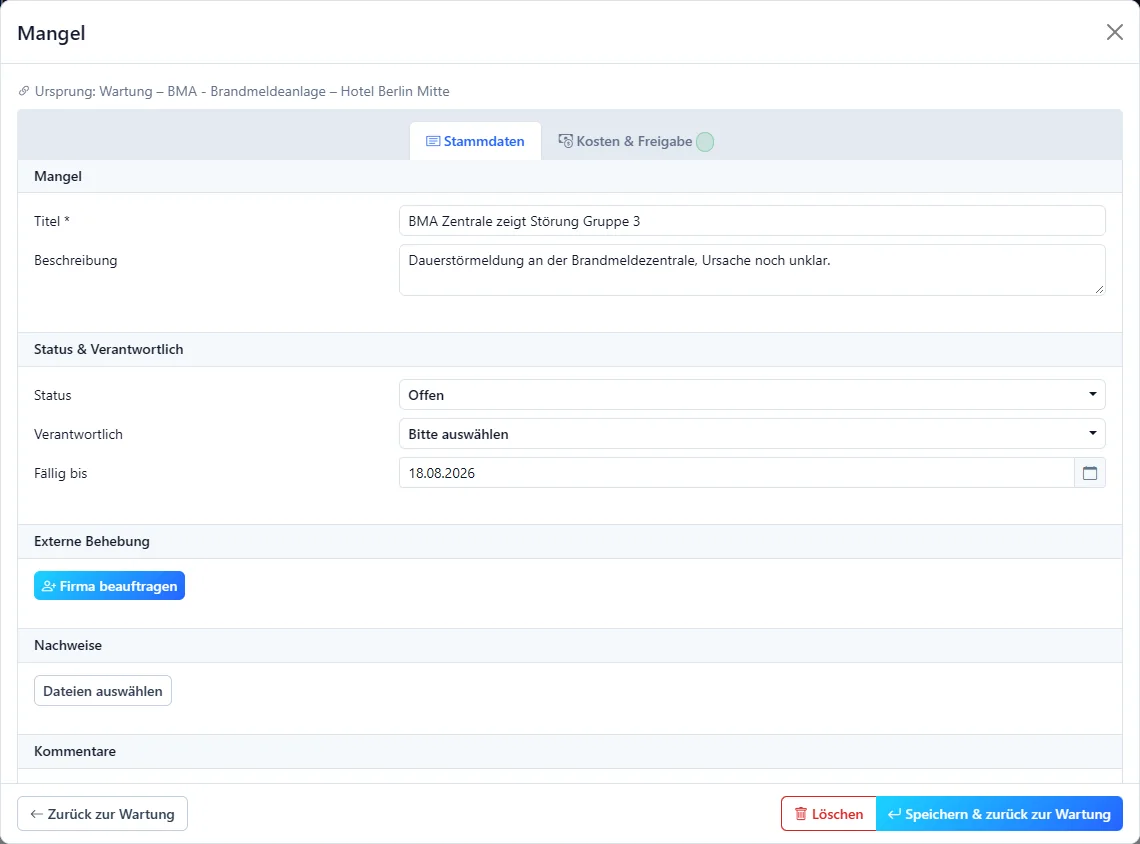
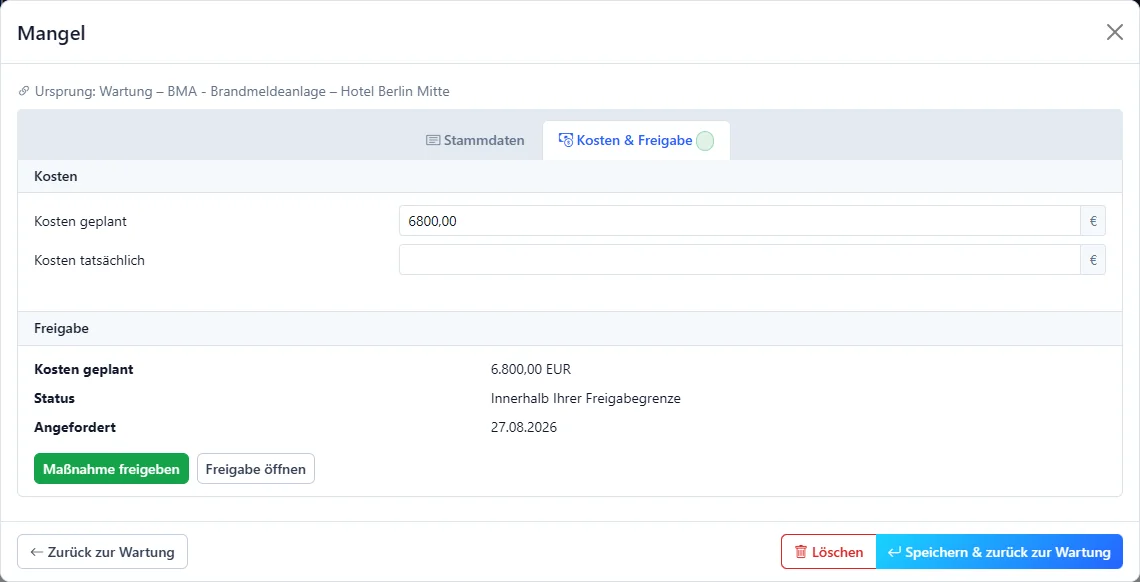
Technical status
No score. Clear rules with reasons.
Each site's status is derived from stored deadlines and defects – in a fixed order of priority, never averaged. To improve it, you work on the records behind it.
The status is never stored separately, so it can never go stale. Contracts, projects and vendor reviews deliberately do not affect it.
At least one overdue open defect, overdue inspection or overdue maintenance.
Nothing overdue, but open defects or items due in the next 30 days.
Maintenance or inspections recorded, nothing overdue, due soon or open.
Neither maintenance nor inspections are recorded for the site.
Artificial intelligence
Ask questions instead of searching folders.
"What does error code E01 mean?" – "By when do I have to give notice on this contract?" – "What is most urgent at this site?" The HubDix assistant answers from your data and stored documents and names its source. It never sees more than you do, and it never changes anything.
Mobile app
Capture on site what happens on site.
The HubDix mobile app installs on your smartphone like an app. Choose a site, see your tasks, record a defect with a photo, document maintenance or an inspection.
- My tasks: overdue, today, this week, upcoming
- Record and comment on defects with camera and files
- Document maintenance and inspections with a report
- Push notifications without details on the lock screen, where set up on the instance
Industries
For everyone responsible for buildings and technical installations.
Site, asset type, deadline and evidence – this basic structure works in any industry. Terms and asset catalogue adapt to each instance.

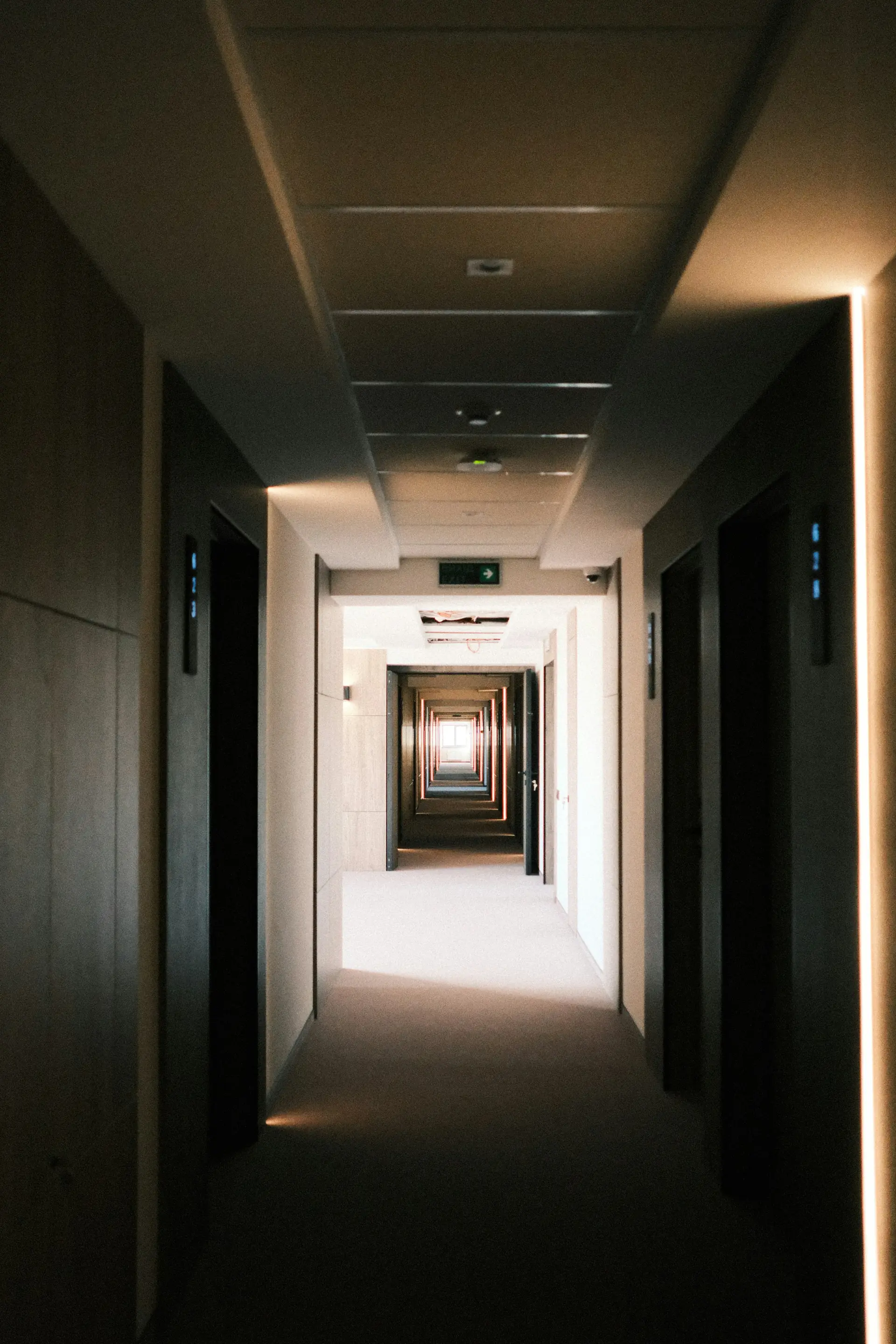
Hotels & hotel groups
Technical status of every property, approvals and projects across groups.
Care facilities
Its own terminology – "facility" – and care-specific assets such as nurse call systems or drinking water hygiene.
Operators & facility management
Many buildings, many assets, many vendors – with one shared view of deadlines and evidence.
Roles & permissions
Everyone sees exactly their part.
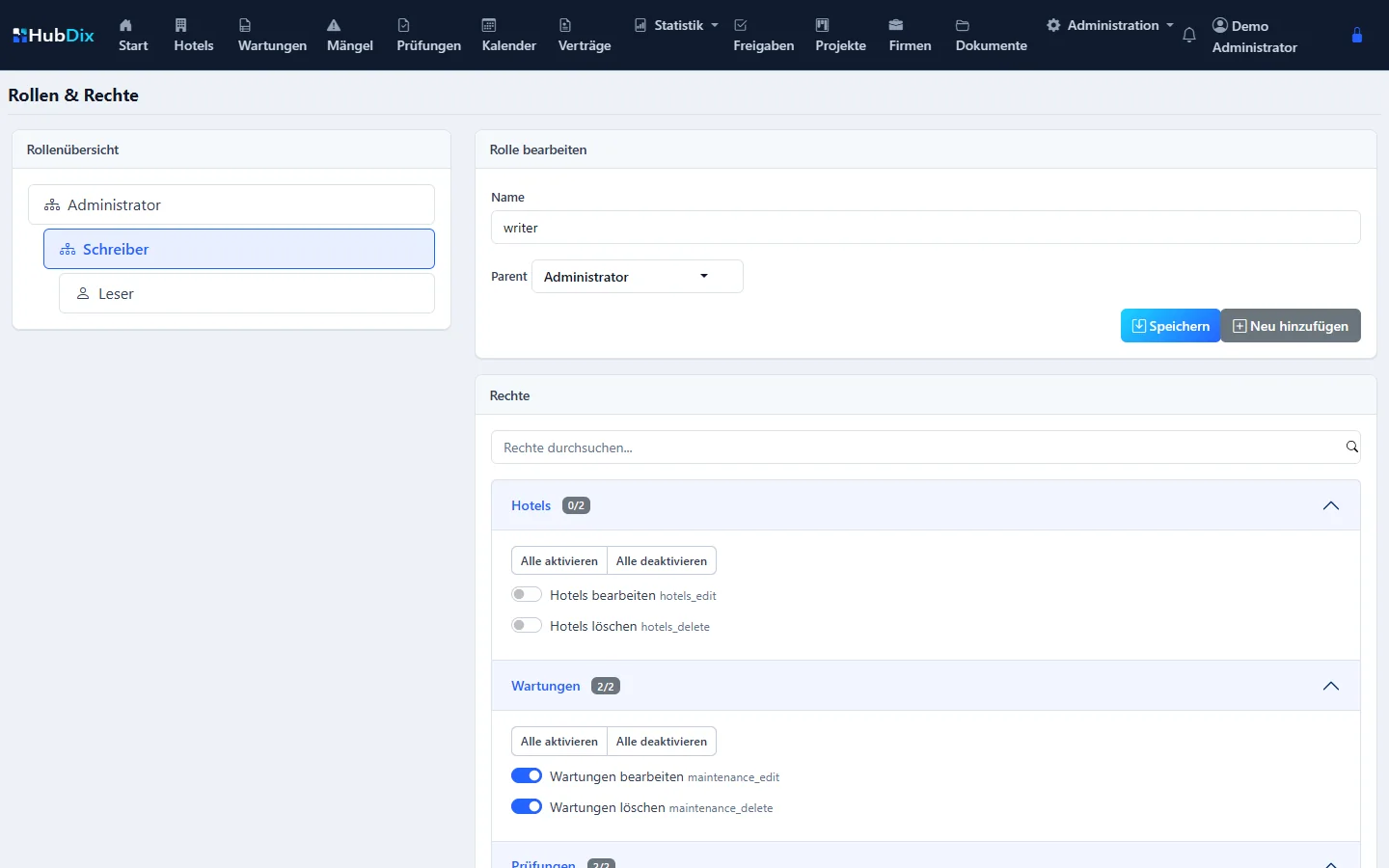
Roles define what someone may do. Site access defines which data they see – in lists, search, documents, calendar, statistics and the assistant alike. Contracts can additionally be separated by department.
- Filters and links can only narrow access, never widen it
- Files only open for people allowed to see the record
- Change log for administrators
- Interface, notifications and emails in German and English
Knowledge & templates
Knowledge for your operation
Guides, free Excel templates and workflows from technical operations.
See HubDix for yourself.
The demo is a complete instance with fictitious sites and data. For questions about your operation, your installations and your processes, write to us.
The demo is set up for hotels – features and handling are the same in every industry.