
Contracts
All contracts with their deadlines, values and links.
Maintenance, service, IT, insurance and other contracts – for one or more sites, separated by department and linked to the maintenance and inspections they cover.
Latest notice date
Contract end minus notice period – or a date set manually. Reminder 14 days ahead by default, adjustable per contract from 1 to 730 days.
Automatic renewal
When a contract with a renewal rule reaches its end, HubDix extends it by the stored period and recalculates the new notice date.
Contract value
Amount per payment interval, from which HubDix derives cost to date, remaining, total and annual value – as an informative estimate, not accounting.
Several subjects
A lift contract can cover both maintenance and inspection and is then available in both areas. Affected units can be named.
Departments
Technical, IT or other departments separate who sees which contracts, contract documents and key figures.
History
Every business change, status change and renewal with time and the person who made it.
What a notice period triggers
- Notice period recordedthe latest notice date is calculated
- Reminder lead time reachedstart page "contract deadlines soon", status overview column, status colour in the list
- Calendar and notificationto the contract owner and deputy – with a note if the contract renews automatically
- Ask the assistant"When can I give notice on this contract?"
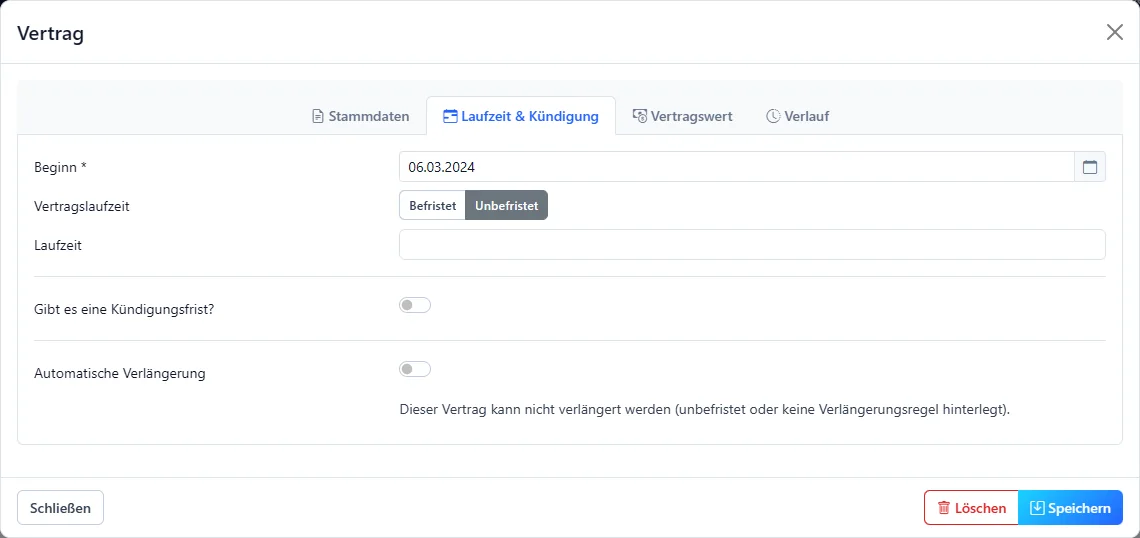
Automatic renewal reflects the contractual rule so that deadlines are shown correctly. It does not replace a legal review and triggers nothing with the contract partner.
AI-assisted contract import
From contract folder to verified record.
Upload contract documents as PDFs – one by one or as a ZIP archive with many files. HubDix recognises the text, analyses it and creates drafts with suggestions. You compare each suggestion with the original and accept it with a click.
- UploadPDF up to 20 MB per file, or ZIP up to 100 MB with up to 500 files. Each file becomes its own draft.
- Text recognitionEmbedded text, or OCR for scans. In a ZIP, Word, text and image files are converted to PDF first.
- Contract checkFor ZIP imports, HubDix checks cautiously whether a document is a contract. Clearly different documents are skipped; unclear ones are put forward for review.
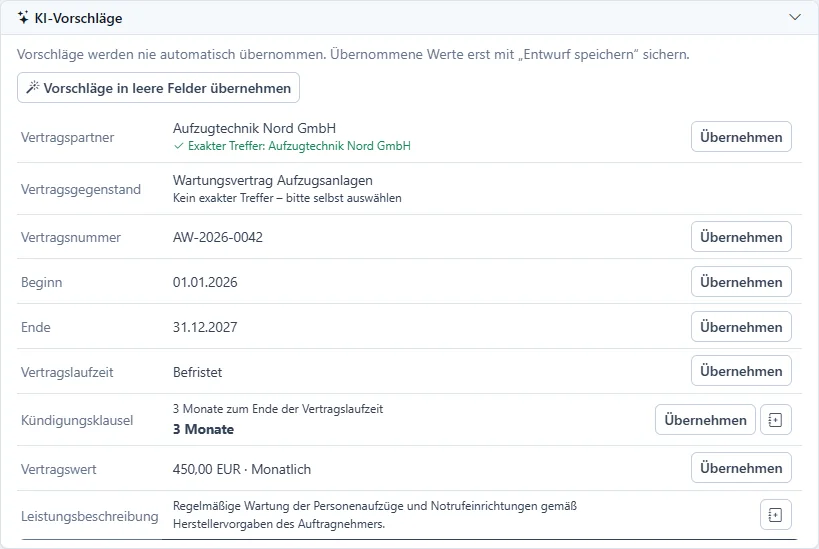
- AI analysisSuggestions for contract partner, subject, number, start, end, notice period, contract value and clauses – kept separate from the fields.
- Review and acceptAccept individually or fill only empty fields. A contract is created only with "Accept as contract".
Suggestions, not automation
- AI suggestions are never saved automatically – neither in the draft nor as a contract
- "Apply suggestions to empty fields" never overwrites values already entered
- Contract partner and subject only on an exact match in the vendor register or catalogue – otherwise you choose
- Re-running the analysis only replaces suggestions, never your input
- Notice of possible duplicates before accepting
Recognise the site from the document
Where enabled, no site needs to be pre-selected for single uploads. HubDix compares details in the document – such as site address, operator or serial numbers of units – with master data and suggests an assignment with reasons. It is only set when you click "Accept".
Not a contract? Move the document.
If a floor plan or inspection report ends up in the import, you move it to the right place without uploading again: to a site's documents and plans, to an asset's technical documentation, or as a report on a maintenance or inspection entry.
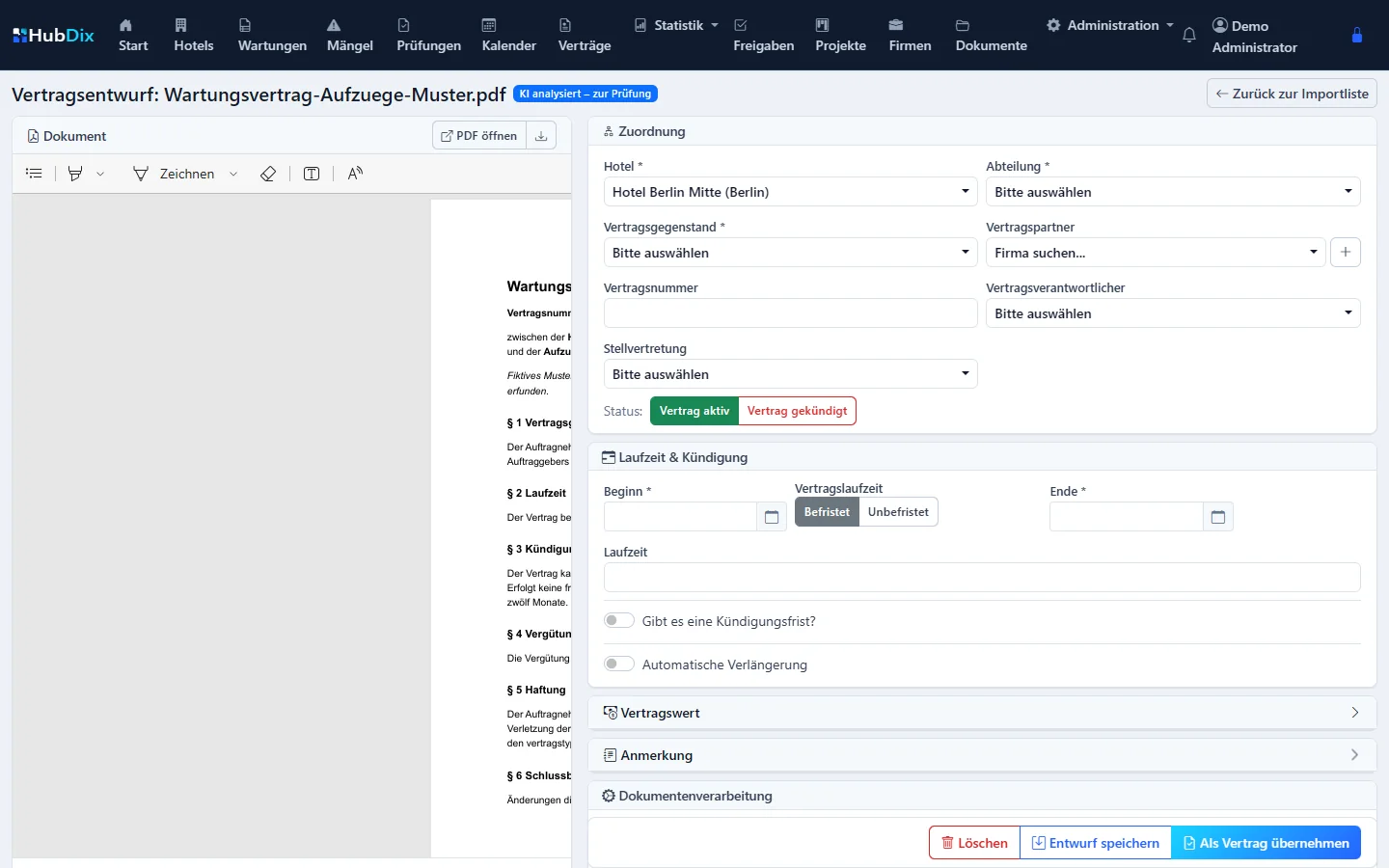
AI notice: Suggestions may be missing, incomplete or wrong – for example with poorly legible scans or several contracts in one document. All fields can always be filled in without AI. Text recognition and AI run via a connected document processing service; more on the artificial intelligence page.
FAQ
Contract management with AI
Does the AI create contracts on its own?
No. The AI provides suggestions for the fields of a draft. A contract is only created once a person has reviewed the data and confirmed "Accept as contract".
Which files can I import?
Individually, PDF files. In a ZIP archive also DOCX, DOC, ODT, RTF and TXT as well as JPG, PNG and TIFF – they are converted to PDF first. Spreadsheets, presentations and nested archives are skipped and listed with a reason.
Does HubDix derive maintenance dates from the contract?
No. The contract does not set dates. You maintain maintenance intervals and inspection due dates on the maintenance or inspection record, where the contract is linked.
Can I ask the assistant about contract clauses?
Yes. If a contract is in focus and the question refers to its content – for example liability or price adjustment – the assistant uses the recognised text of the contract documents. Check important answers against the original document.
Read on
Review contract data
What AI suggestions can do, where their limits are and a template for deadlines.
See HubDix for yourself.
The demo is a complete instance with fictitious sites and data. For questions about your operation, your installations and your processes, write to us.
The demo is set up for hotels – features and handling are the same in every industry.