
Digital defect management and approvals
Recording a defect in HubDix takes seconds – at the desk, from an inspection report or on site with a smartphone. Clear approval limits and responsibilities govern what it costs and who signs it off.
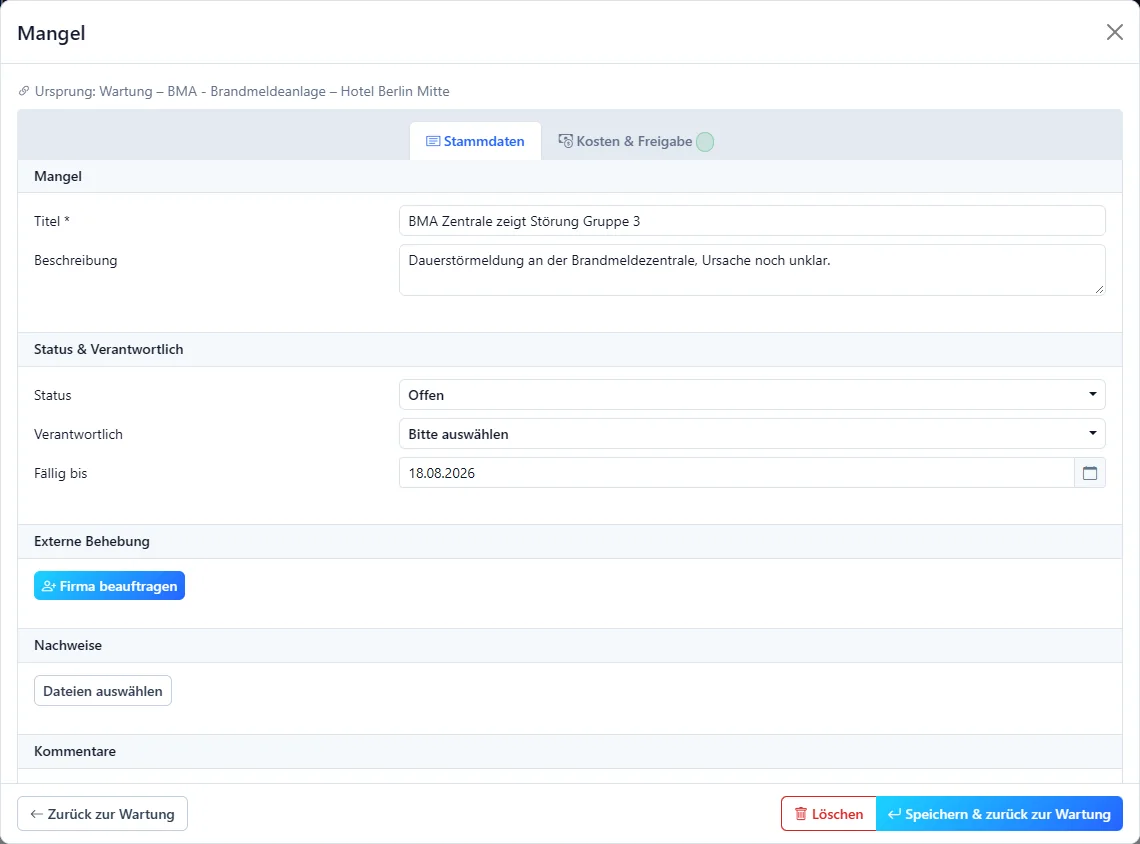
Defect register
One central register instead of defect lists in every folder.
All technical defects go into one register – whether they were found during maintenance, an inspection, a project or daily operations. The origin stays visible, as does the link to the inspection or maintenance entry.
- Status: open, commissioned, in progress, resolved, deferred
- A responsible person – otherwise the site's general manager and technical contact are notified
- "Due by" with a 14-day lead time for "due soon"
- Evidence as photo or PDF, comments in the history
- Planned and actual costs
Deliberately not a complex ticket system: a defect should be recorded in seconds.
Approvals & cost control
Approvers must be authorised, responsible – and not the requester.
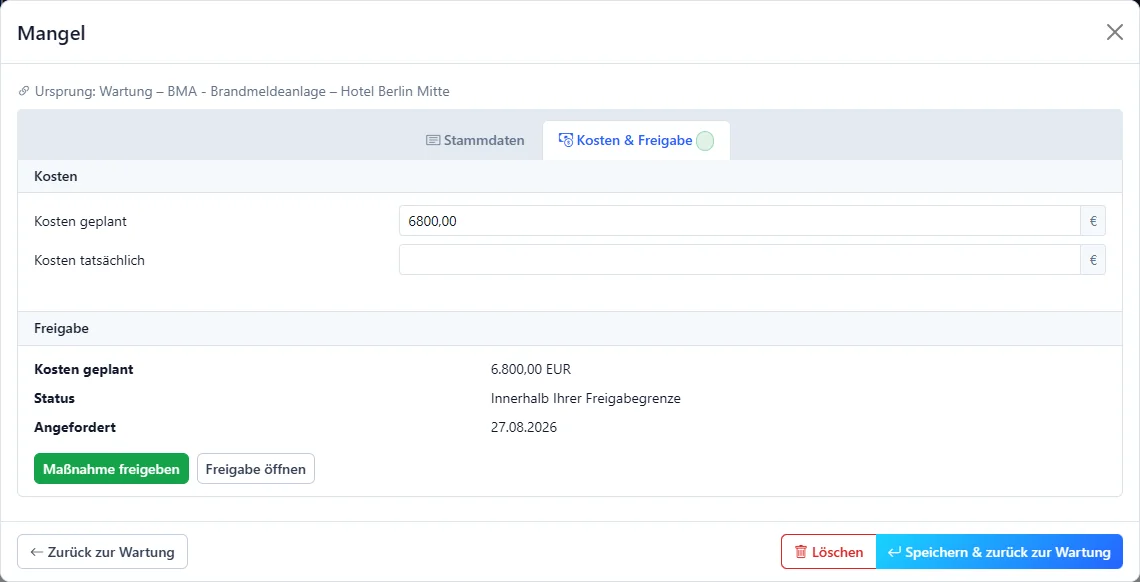
If planned costs are within your own approval limit and you are responsible for the site, the measure is approved directly. Otherwise an approval request goes to the responsible approvers.
- Approval limit per role as a maximum amount or unlimited (currently in EUR)
- Responsibilities per site, optionally per department
- No self-approval – nobody approves their own request
- If amount, currency or site change, an approval automatically becomes invalid
- If two people click at the same time, the measure is commissioned only once
An example
A defect costing EUR 6,800 – step by step.
This is how an approval works when planned costs exceed your own limit. The example comes from the product documentation.
- Record a defect with planned costsYour own approval limit is EUR 5,000 – the measure costs EUR 6,800.
- Request approvalThe request appears for responsible approvers whose role covers at least EUR 6,800.
- Approve or rejectRejection requires a comment. Requester and approvers are notified.
- Approve the measureHubDix records who commissioned it, when, for what amount and based on which approval.
- Costs rise to EUR 7,500?Then the approval becomes invalid and must be requested again.
Important: Recording, editing and resolving a defect never depend on an approval. Only commissioning ("approve measure") is tied to it. Approvals also exist for change requests in projects.
External repair
The vendor reports the repair. Your team confirms.
A defect can be sent to a vendor as an external work order. Title, task and deadline are pre-filled from the defect. The vendor cannot close the defect – it stays open until an internal user confirms the repair.
Deliberate vendor choice
No pre-selection: the vendor who found a defect during an inspection is not automatically the one who repairs it.
Confirm the repair
Confirming can set the defect to "resolved" at the same time – just like a normal save.
Access ends automatically
If a defect is resolved another way, the open work order ends and the vendor's link is blocked.
On site
Found a defect? Take a photo, set a deadline, done.
In the mobile app you create defects with title, description, deadline and owner, take photos directly with the camera or attach PDF files. If an upload fails, the defect is kept and the file can be sent again.
Effect
- Defect opensite at least "attention", indicator on the maintenance or inspection
- Defect overduesite "critical", start page, calendar, notification
- Defect resolvedall signals end, statistics count it as completed
FAQ
Defect management with HubDix
Where can a defect come from?
From maintenance, an inspection, a project or daily operations. For defects from maintenance, inspections or projects, the site is pre-set and the origin stays visible.
Does HubDix create defects from inspection reports automatically?
No. Findings from reports or external work orders are shown but never created as defects automatically. Your team decides which finding becomes a defect.
What happens if two people edit the same defect?
HubDix never saves one version over a change made in the meantime. You get a notice, your input stays in the form, and you can save again after reloading.
Can I approve my own approval request?
No. Self-approval is ruled out. Only someone with the right permission, responsibility for the site, access to it and an approval limit covering the amount can approve.
Read on
Related resources
Workflows, guidance and a template around defects.
See HubDix for yourself.
The demo is a complete instance with fictitious sites and data. For questions about your operation, your installations and your processes, write to us.
The demo is set up for hotels – features and handling are the same in every industry.