

Building management for hotels and hotel groups
From a single property to a hotel group: engineering management, general manager and the local team work on the same record – with clear ownership and an overview of which hotel needs a decision today.
The challenge
Engineering between guest operations and refurbishment
A fault in a guest room, maintenance in the plant room and a planned refurbishment follow different workflows. With every additional property, email lists and local spreadsheets become harder to compare.
Which hotel first?
Regional management needs an order by need for action – not a list of every task at every property.
Which company is on it?
Lifts, fire alarms, ventilation: many companies, many dates, reports in different inboxes.
Who approves?
Larger repairs need a cost decision before work is ordered – traceable per property.
In HubDix
One overview for management and local teams
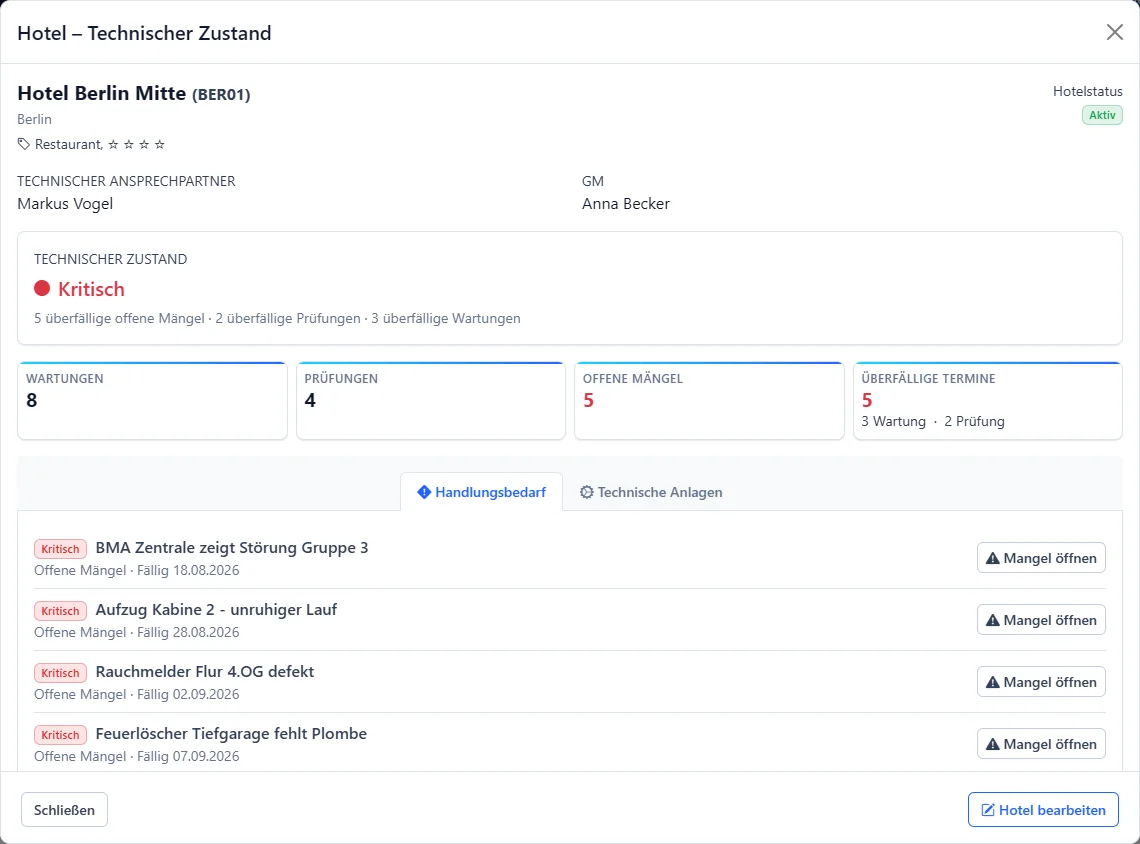
The home page lists the hotels with the greatest need for action first. Every property has a technical condition with specific reasons; maintenance, inspections and open defects remain traceable individually.
- General manager and technical contact receive the notifications for their hotel
- Hotel groups bundle access for regional managers
- Approvals by responsibility and approval limit per hotel
- Operating companies with their own profile and an operator report as PDF
Refurbishments
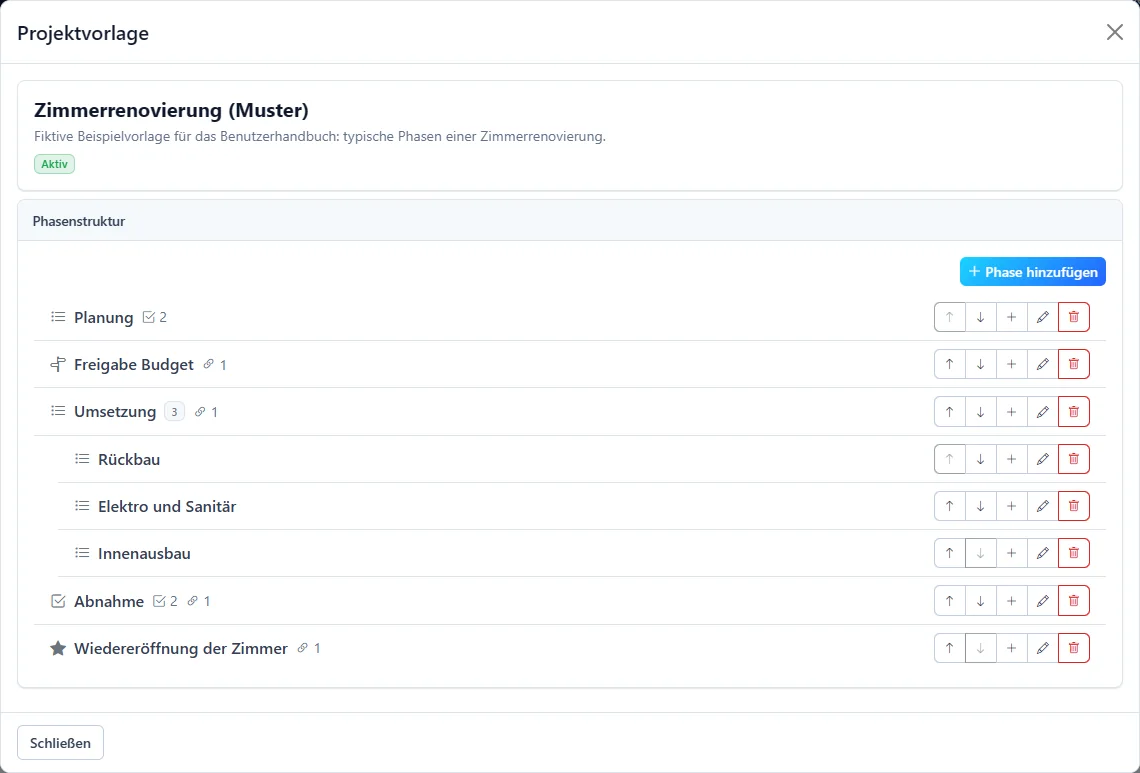
Room refurbishments as projects
Refurbishments run as projects with phases, checklists, risks, decisions and change requests. A project template, for example for a room refurbishment, is copied once when the project is created.
- Budget, actual costs and comparison with the baseline
- Executing company per phase from the shared vendor directory
- Defects and contracts can be linked to the project
Fictitious example
Example: replacement before the next occupancy
A technical defect is reported in a guest corridor at one property. The repair exceeds the engineering team's approval limit.
- On siteDefect recordedOn a smartphone: photo, description, deadline and responsible person.
- ApprovalCosts approvedThe request goes to responsible approvers whose limit covers the amount. Nobody approves their own request.
- AssignmentCompany assignedThe company receives a link without login, sees only this assignment and reports the repair with photos.
- ClosureConfirmed internallyConfirmation sets the defect to “resolved”. The hotel's condition updates.
Scope: if the replacement becomes part of a modernisation, the defect can be linked to the project. There is no occupancy planning or PMS integration.
Getting started
Start with a reference workflow
The demo contains fictitious hotel data and lets you walk through these workflows before a rollout.
Pick one hotel
A property with a manageable set of installations as the pilot.
Test two records
A maintenance item with an external assignment and a defect with cost approval.
Check the roles
Walk through engineering management, local team and approvers once.
Extend to the group
Create hotel groups and add further properties with the same rules.
FAQ
HubDix for hotels
Does HubDix replace the hotel PMS?
No. It covers technical building operations, not reservations, reception or billing.
Can external assignments be automatic?
Explicitly configured automation rules are available for recurring maintenance. This does not automatically apply to inspections or defects.
Is HubDix only suitable for hotels?
No. Hospitality is the standard variant and the demo is set up for it. The same platform is available with its own terminology for care facilities; other industries are configured through terms and the asset catalogue.
Read on
Related resources
The features hotels use most often.
See HubDix for yourself.
The demo is a complete instance with fictitious sites and data. For questions about your operation, your installations and your processes, write to us.
The demo is set up for hotels – features and handling are the same in every industry.