
Organise building management across multiple sites
Multiple sites need shared rules and local ownership. HubDix connects both levels: head office sees where action is needed – the local team works on the specific record.
Foundation
Consistent terms before consistent reports
If every property names its installations differently and uses “done” in its own way, a central report is hard to interpret. Start with site identifiers, asset types and a shared meaning for each status.
In HubDix, asset types, inspectors and services come from one shared catalogue per instance. Every maintenance and inspection record belongs to exactly one site and one asset type – which is what makes sites comparable in the first place.
Head office defines
- Asset catalogue and terms
- Roles, permissions, approval limits
- What counts as critical
The site works
- Dates and assignments
- Outcomes and reports
- Defects on site, also on mobile
Overview
From the overview to the individual action
The home page lists the sites with the greatest need for action first. Every state names its reasons, such as “2 overdue inspections”, and leads straight to the affected maintenance, inspections and defects.
The state follows fixed rules and is not a freely weighted overall score. Contracts, projects and vendor reviews do not affect it.
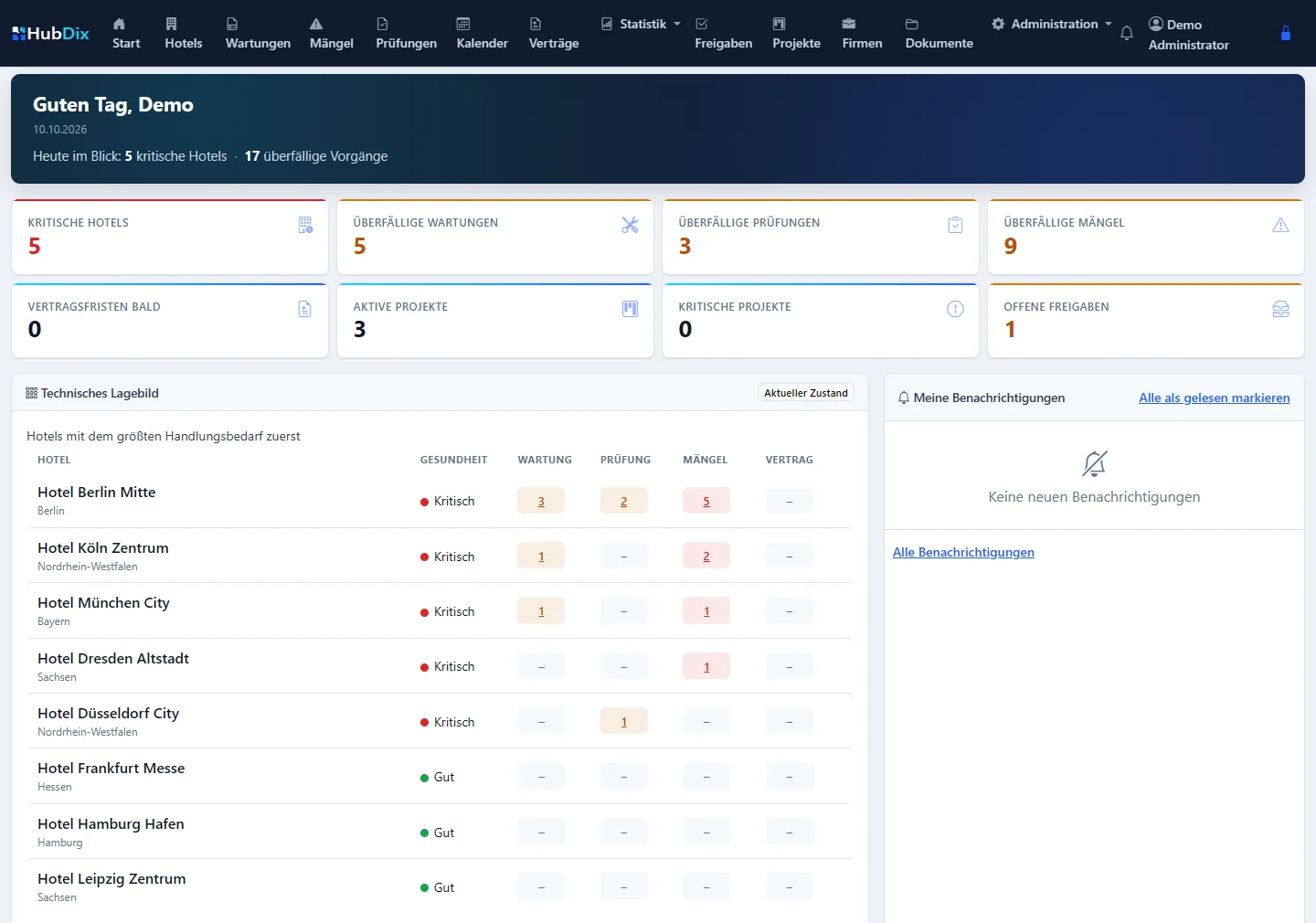
Overdue open defect, overdue inspection or maintenance.
Open defects or items due within the next 30 days.
Recorded, nothing overdue, due soon or open.
Neither maintenance nor inspection recorded.
Fictitious example
Example: two sites, different problems
A flat completion rate would make both sites look similar. The overview shows why they need different decisions.
Reason: 1 overdue inspection
Head office asks the technical contact about the date. The site assigns the inspection company via an external assignment; once it reports completion, the history entry is created and the state changes.
Reason: 1 open defect, deadline running
The repair costs more than the local approval limit. The approval request goes to the responsible approvers; work and evidence stay on the defect.
This requires maintained deadlines and completely recorded work – the overview only shows what has been recorded.
Access
Not everyone needs every site
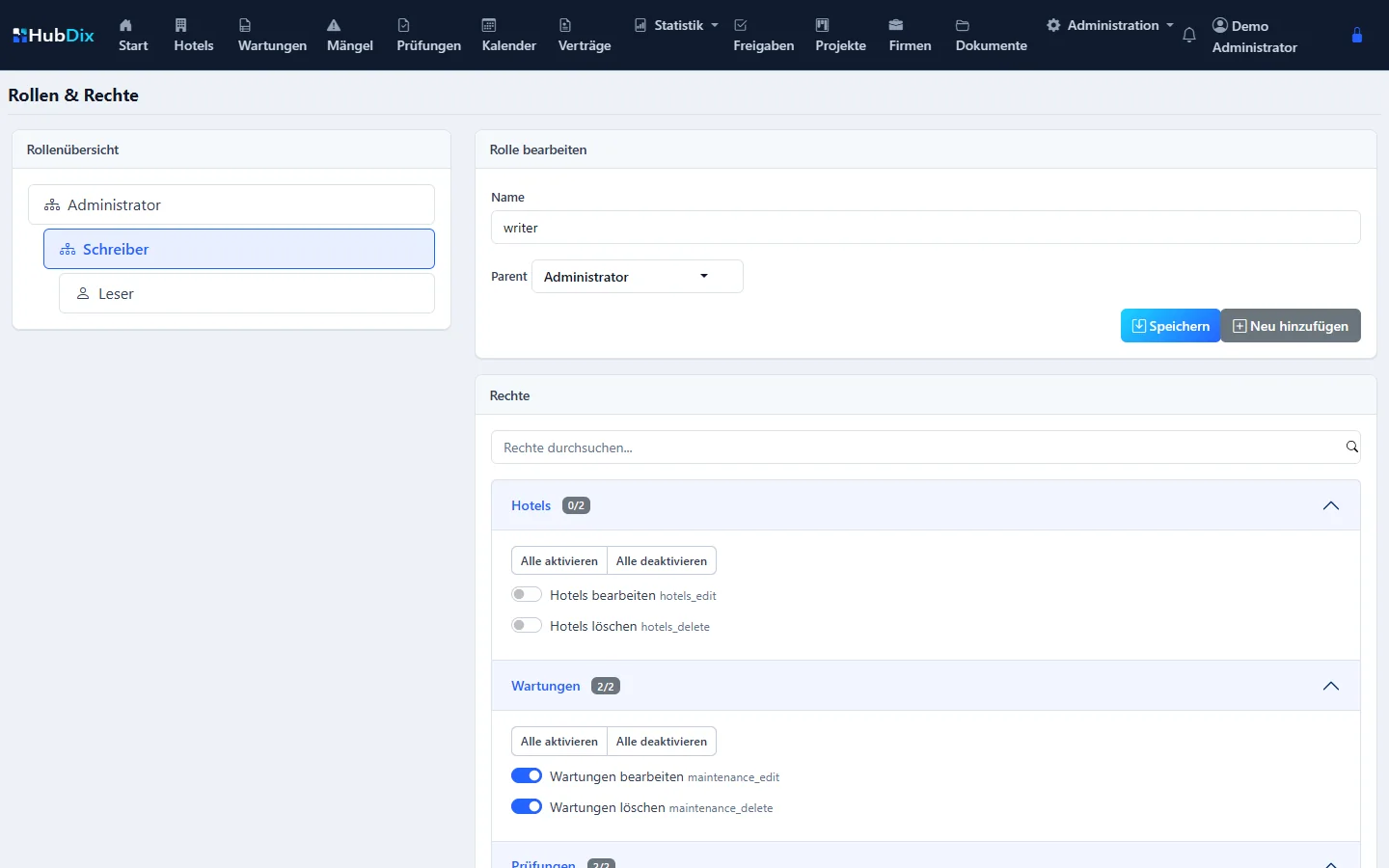
What someone sees results from role, permissions and site access – in lists, search, documents, calendar, statistics and the assistant alike.
- Site groups bundle access, for example for a regional manager
- Contracts can additionally be separated by department
- A contract can cover several sites; maintenance keeps its own installation and history
- Key figures on the home page always respect the user's own access
Rollout
Roll out site by site
Pilot one site
Test a complete workflow, including deputies and deviations.
Carry over the rules
Transfer terms, asset types and ownership rules to the next site.
Check permissions
Use a local user account to verify what is actually visible there.
Measure on records
Can evidence be found, does every open action have an owner, are deadlines current?
FAQ
Multiple sites with HubDix
How is the technical condition determined?
From existing maintenance, inspections and defects, using fixed rules with reasons. The strongest applicable state wins. It is not a weighted score.
Do local teams automatically see every site?
No. Roles, site access and, where relevant, department permissions determine the visible data.
Can head office compare sites?
Yes. Statistics show condition, open defects and overdue items by site, asset type, federal state, group and period – calculated live from existing data and within the user's own access.
Read on
Related resources
Features and industry examples for multiple sites.
See HubDix for yourself.
The demo is a complete instance with fictitious sites and data. For questions about your operation, your installations and your processes, write to us.
The demo is set up for hotels – features and handling are the same in every industry.