
Clarify the source data before importing
Most problems in a rollout do not start in the software but in the data that goes into it. Before you transfer anything, clarify:
- Merge duplicates and assign unique installation identifiers
- For every date: planned date, actual completion or next due date?
- Put unclear intervals and missing owners on a clarification list
- Link reports from email inboxes to the correct installations
Only transfer data whose meaning is known. An empty cell is more honest than an invented date.
Test a complete pilot process
Choose a manageable group of installations and run one record from planning to a reviewed report. Involve the person on site, the coordinating manager and, where relevant, an external contractor.
Plan
Record installation, interval and owner.
Execute
Internally or with a company, including feedback.
Test a deviation
Postponed date, missing report, a finding.
Deviations in particular show whether responsibilities and handovers work. A smooth standard case says little about that.
Example: local list and central evidence
A team has so far kept its dates in Excel, with reports in emails. In the pilot, every maintenance item gets an installation and an owner; the feedback is documented with the report on the record.
Before retiring the old list, the team reconciles open dates and evidence and sets a cut-off date from which only the new workflow is maintained. This avoids two competing sets of dates.
What needs maintaining after go-live
| Task | Typical owner | Trigger |
|---|---|---|
| Master data and installations | engineering management | new or decommissioned installations |
| Intervals and responsibilities | engineering management | staff or contract changes |
| Open records and evidence | site team | regular review |
Software can make incomplete entries visible, but it cannot replace every piece of missing expertise.
How HubDix supports the workflow
HubDix connects maintenance history, external assignments and technical documentation on the record. When an assigned company reports work as done, HubDix transfers company, date, outcome and report into the history and recalculates the next due date.
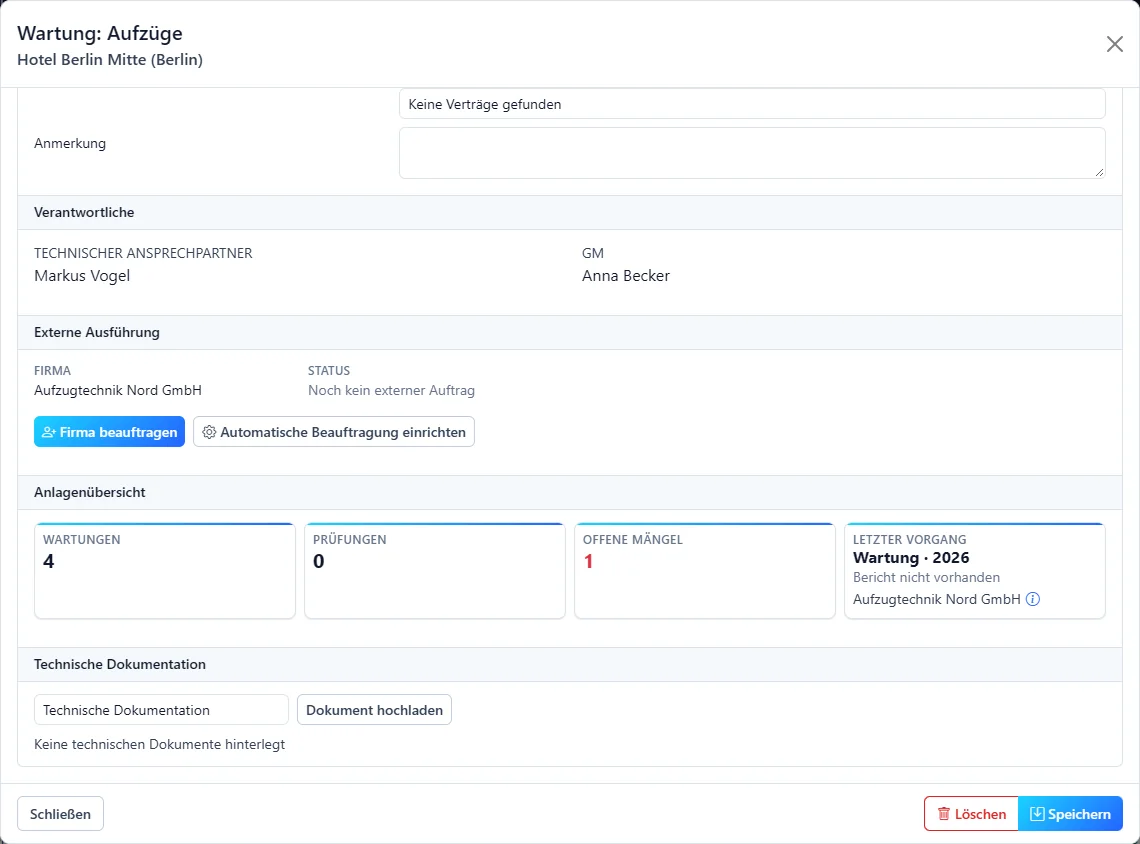
HubDix does not promise an automatic import of arbitrary Excel files. We plan the transfer of your data based on the actual data and the permissions you need.