
Building management for care facilities
Organise building services while care continues. HubDix connects facilities, installations and technical records in one shared workflow – in the language of your sector.
The challenge
Working while the facility is in operation
In a care facility, a technical appointment affects more than building services. Access to rooms, coordination with facility management and the availability of external companies have to fit together.
Coordinate dates
Work on care bathrooms or nurse call systems needs a date that fits the residents' daily routine.
Find the evidence
A report in an inbox does not show whether a finding was dealt with – and a deputy often cannot find it.
Clarify ownership
Building services, facility management and the provider organisation have different roles. Who assesses, who assigns, who approves?
Care variant
How HubDix supports building services
In the care variant, the site is called a “facility” and its management the “facility manager” – in menus, notifications, statistics and the assistant's answers. A care-specific list of technical installations is added.
- Nurse call systems
- Care bathrooms
- Drinking water hygiene
- Fire alarm systems
- Lifts
- Maintenance and inspections per facility and asset type, with report and history
- Defects with owners, deadlines and cost approval where needed
- Roles plus facility and department permissions limit access
- Operators are named clearly – an operator is not automatically the provider
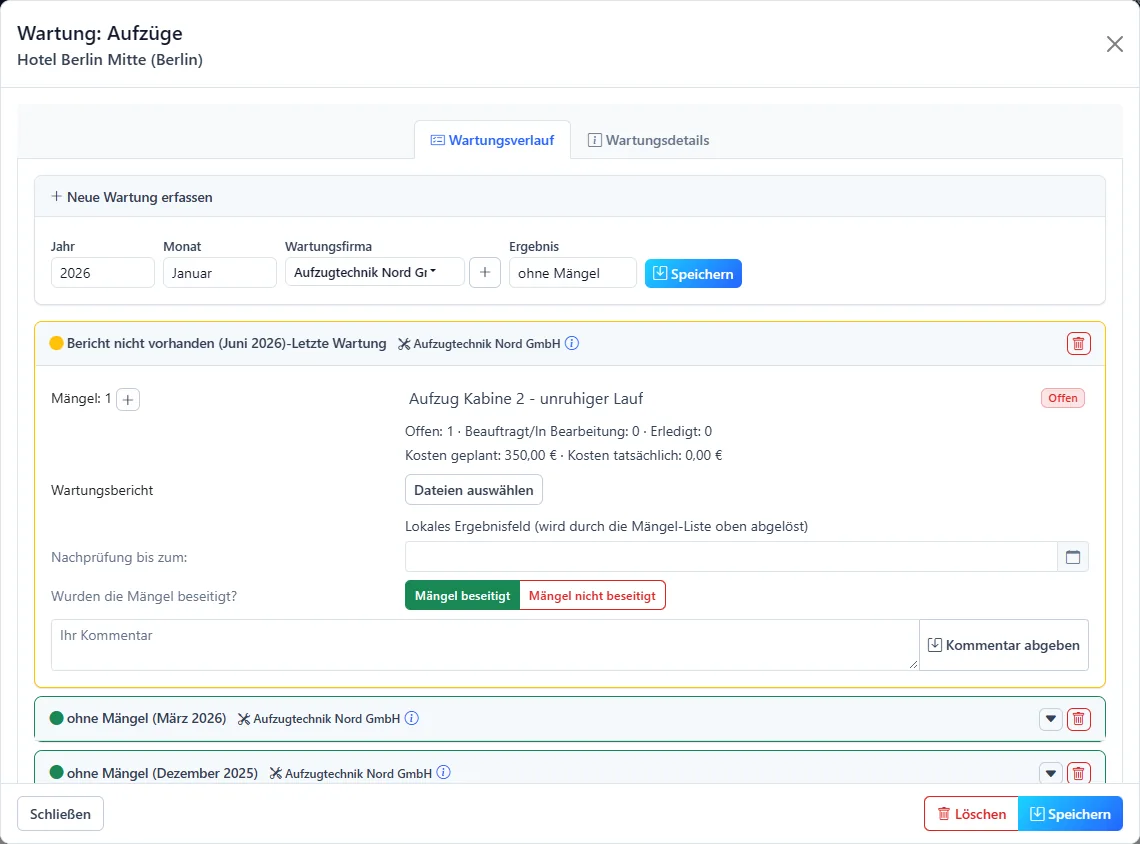
Fictitious example
Example: servicing a ventilation system
The building services team of a senior residence agrees a maintenance date with the facility manager. The appointment, the documented outcome and the follow-up action stay traceable separately.
- PlanningAssignment to the companyThe external assignment includes the task, deadline and on-site contact.
- ExecutionFeedback with reportThe company reports “done” and uploads the report. This creates the history entry.
- ReviewFinding assessedA detected fault is deliberately created as a defect and assigned to a person.
- ClosureRepair confirmedInternal confirmation remains a step of its own; only then is the defect resolved.
Important: HubDix never creates a defect from a finding by itself. The technical assessment stays with the responsible people.
Rollout
Start with one facility
Limit the scope
Begin with a manageable set of installations at one facility.
Clarify ownership
Name building services, facility management and approval – including deputies.
Record intervals
Enter the intervals defined by your experts; HubDix calculates the due dates.
Test, then roll out
Test a complete workflow from date to report, then add further facilities.
FAQ
HubDix in care
Is HubDix a care documentation system?
No. HubDix supports technical building processes. Resident records, care planning or medical documentation are not part of its scope.
Is there a dedicated care demo?
The public demo is set up for hotels. Features and handling are the same; we discuss the care terminology and your asset structure based on your requirements.
Can building services work on site with a smartphone?
Yes. In the mobile app, completed maintenance and inspections are recorded with their outcome, photos or reports are attached and defects are created directly. Creating maintenance records remains in the browser view.
Read on
Related resources
Features and practical guidance for building services.
See HubDix for yourself.
The demo is a complete instance with fictitious sites and data. For questions about your operation, your installations and your processes, write to us.
The demo is set up for hotels – features and handling are the same in every industry.